 Skip to content
I bet you’ve heard about Canva, especially its amazing Canva Pro features. From effortless editing to thousands of design assets, it’s a powerful graphic design software that empowers both creators and professionals alike.
Wait… what? Haven’t you explored it yet? Are you sure? 😲 How can you not know about this all-in-one drag-and-drop design tool?
Don’t worry. (´・‿・`) That’s exactly why we’re here: to walk you through what Canva is, what Canva Pro can do, and how it can elevate your next project.
Did you know that Canva has over 1 million users? Shocking right? But, it’s to be expected based on its sensational features and Tools. Canva’s life purpose is to simplify the process of creating stunning designs. From a simple flyer to complex presentations with ease.
And can you believe that there are more than a thousand free fonts available to choose from within Canva? 🤯 You can even download and print them for free. It is a versatile marketing software that is user-friendly.
To put it technically. Canva is a web-based software program designed to enable anyone to create eye-catching images and text. Where anyone can share on their websites, blogs, and social networks. It does this by providing a simple drag-and-drop tool that allows you to edit photos and illustrations. As well as add text and other elements.
And I bet you also heard some people who are skeptical of Canva’s powers. Oh! Have you not heard? 😉 All I can say is that Canva’s benefits outweigh all that skepticism.

The Distinction of Canva Free Vs Pro
Now that we are done with introductions. Let’s get ready to rumble! 🛎️ Canva free 🤜🆚🤛 Canva Pro!
Canva Free. I mean, you know what to expect since it has the “FREE” word. It comes with limitations. Nonetheless, this version is a good start to getting a feel of how Canva works. It is the best version to familiarize yourself with Canva’s quirks. Let us now get into the details with Canva Free.
The program has a drag-and-drop editor for effortless customization. It has more than 250k+ templates, 100+ design types (social media posts, presentations, letters, posters), 1 million+ photos/graphics, and cloud storage of 5GB. Canva Free allows you to work alongside other people and invite them to create designs. In addition, it offers a huge selection of printable products available for customization and door-to-door delivery.
Canva Pro provides access to exclusive content, advanced design features, high-quality images, professional fonts, and other premium assets. This means that you can have access to all the tools that you need to make high-quality graphics.
Once subscribed to the Canva Pro premium plan, there is no turning back. Mwahaha… 😈 But, seriously, you will have access to 100M premium stock photos, videos, audio, and graphics. It has unlimited features and can generate unlimited folders for specific projects. You can also resize designs through Magic Resize, get rid of image backgrounds, and even schedule social media content posts to 8 platforms via their Content Planner feature.
Moreover, you get unlimited storage space for your projects. You can choose from a variety of different templates to help you create your unique designs, and templates with new designs are added daily. You can easily customize your template by adding your text and pictures. Add special effects to your photos, such as filters, frames, borders, and shadows.
Above all, it has up to 100 Brand Kits. Develop your brand’s visual identity, including logos, colors, and fonts. And don’t forget you have 24/7 customer support.
Ready-made Canva Templates: Graphic Design Software That Works Instantly
What’s not to like about Canva? 🤔 With this graphic design software, you get access to more than a hundred thousand ready-made templates at your disposal. Canva makes creating stunning designs for web pages easy, even if you’re not a professional designer. No advanced experience needed!
These ready-made designs help stir up your creativity to make profound outputs that will stand out from your competitors.
Why Canva Pro’s Drag and Drop Design Tool Is Worth Sharing
Canva Pro is packed with features, but its drag-and-drop design tool is a true highlight. It lets you create amazing graphics, photos, websites, and designs without effort. With easy-to-follow templates and intuitive editing, sharing creative content becomes quick and seamless.
If you’re looking for an awesome free photo editing tool, then you’ll love Canva. This program allows you to edit your photos and videos in a variety of ways. Whether it’s adding text, changing the background color, or removing unwanted objects from the image, you can do all of these things with just one click.
You can even add effects to your photos. For example, you can change the brightness, contrast, or saturation. In addition to editing photos, you can also apply filters to your images. If you have an Instagram account, then you know how popular they are. Filters allow you to turn a boring picture into something beautiful and fun.
Canva is a great way to express yourself, your brand, your services, your company, and your website to look amazing without spending lots of money. What’s not to share when you have astonishingly finished products?
Canva for Business Teams: Built for Seamless Collaboration
Collaboration is key, especially in today’s fast-paced work environment.
Canva for business offers built-in tools that help teams communicate and co-design efficiently. Whether you’re a startup or an enterprise, Canva’s seamless collaboration features make teamwork easier and faster.
It’s a great way to collaborate because you can easily communicate back and forth through its comment feature. And you can also invite other people to join your group. This means that anyone invited to the team can edit the project.
Canva Pro Templates for Everything: Easy Graphic Design for Any Project
One of Canva Pro’s best perks? It has a wide range of templates. No matter what your business needs—presentations, videos, flyers, or ads. This graphic design software has it covered. These templates are beginner-friendly but powerful enough for pros.
And remember when I mentioned Canva has thousands or more templates? Well, Canva takes it not a step forward but more like a LEAP forward. That is why it can be incorporated into anything. Whatever business you may have. Canva’s got it covered.
In addition, these templates are easy to use, so you won’t have to worry about spending hours trying to figure out how to put together an amazeballs presentation, videos, posts, etc.
Create Stunning Visuals with Canva Pro Features and Design Tools
Canva Pro is known for its powerful visual tools. With a wide range of Canva Pro features, from photo filters to brand kits, you can create stunning content effortlessly. Its smart editing tools and drag-and-drop functionality make design faster and more flexible.
You can easily make beautiful images and videos by adding text to them. The editing options are extensive, and you can add any type of filter or effect to your pictures.
When you’re ready to share your creations, you can upload them directly to social media sites like Facebook, Instagram, Twitter, and more. If you want to print your photos, then you can choose from a variety of sizes and paper types.
This tool is perfect for anyone who wants to create unique, professional-looking designs without having to spend hours learning in the process.
A Well-Rounded Graphic Design Software for Every Purpose
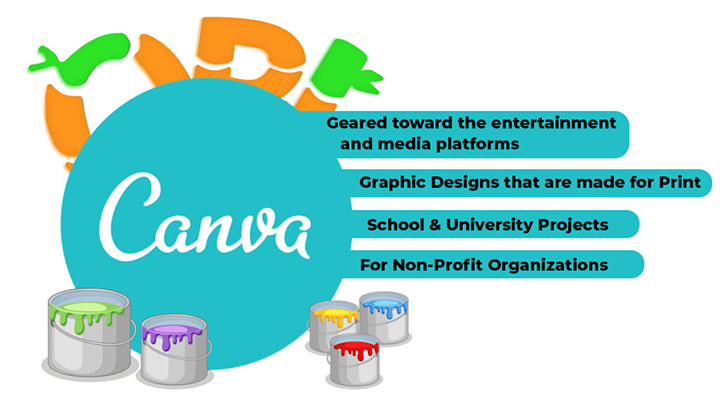
- Geared toward the entertainment and media platforms
– Canva is a graphic design software that fits nearly any creative need. From entertainment and social media posts to school projects and non-profit campaigns, it provides flexibility and quality results. It’s made to serve everyone. Designers or not. - Graphic Designs that are made for Print
– Canva lets an average Joe easily create professional designs for printing, like flyers, postcards, posters, and more. Print design templates include everything you need to make great-looking products. And because every designer gets access to the same tools, everyone can work together efficiently. With the Canva license, there are no limits on how many people can use the software. This includes unlimited personal usage. - School & University Projects
– Canva has now tapped into academic institutions, which they call Canva for Education. It promotes collaborative learning for primary school students, secondary school students, and university students.
Both students and teachers can readily make video projects, design school materials, etc. Canva can also be integrated with LMS, which is a plus and hybrid learning. - For Non-Profit Organizations
– Canva for non-profits in Mind. As a nonprofit organization, you are aware of the significance and difficulties of getting the word out. It provides eye-catching designs to make sure viewers won’t just glance at your Adverts.
How Canva for Business Simplifies Marketing and Branding
Canva for Business is more than just design—it’s a full marketing toolkit. From brand kits to promotional materials, Canva helps companies quickly create consistent, polished visuals. You can edit, share, and publish marketing assets all in one place.
You can’t deny that Canva is an all-in-one solution for marketing. It offers marketing materials for creative teams, making it easier to design flyers, posters, and other promotional content. You can even add text, edit colors, and customize layouts. When you combine all these tools, marketing becomes simpler and more effective than ever before.
Summary
CANVA has now become a worldwide sensation that has changed the meaning of no design experience and user-friendliness. It offers professional templates, professional videos, and Graphic elements. And let us not forget its mind-bending drag-and-drop design tools.
No more awkward color clashes with its brand kit, which upholds branding consistency. It has a color filter, color palettes, and color schemes.
Canva caters to different institutions. This includes Marketing, Nonprofits, Academic institutions, and Social Media. It adds quality content in a variety of ways for your business to expand.
Every feature and tool is made simply for easy navigation, but at the same time, it provides compelling executions.
Conclusion
In conclusion, Canva stands out as one of the greatest tools ever released for accessible design. It has made creating beautiful visuals easy and affordable for everyone. With its intuitive tools and simple interface, it’s perfect for beginners who want to create professional-quality designs without learning complicated software.
With millions of users worldwide, Canva continues to empower people to design logos, flyers, posters, and social media content effortlessly, making creativity more accessible than ever before.
👉 Read more: Blogs/Knowledge Base


